

You start a 200 GB file transfer, watching your data fly by at a blistering 6,000 MB/s for about forty seconds—and then something weird occurs. – the progress bar slows down to a crawl. There’s nothing wrong; it’s not an error or even a malfunction. Everyone believes the NVMe drive is going bad on them when, in actuality, the silent slowdown is thermal self-protection from operating without an adequate ssd heatsink, something that few are informed about.
It took me several days to investigate the peculiarities of the NVMe standard, look through datasheets from manufacturers, thermal logs from reviewers’ labs, and forum discussions of owners to learn what exactly the silent brake accomplishes.
- Your SSD Has a Brake Pedal, and Firmware Presses It First
- Staged, Not Sudden: Good Firmware Tapers Instead of Slamming
- Heat Doesn’t Just Slow Flash — It Leaks It
- The Numbers That Made It Click
- What Owners Actually Report (And What They Miss)
- The Fix Is Unglamorous: Contact, Clearance, Airflow
- The Bottom Line: Throttling Is a Feature You Paid For
- FAQs
Your SSD Has a Brake Pedal, and Firmware Presses It First
Today, every NVMe drive is calibrated to have a composite temperature—a normalized value obtained through a number of sensors and not just one temperature point. The specification relates to two temperatures; one being the Warning Composite Temperature (typically 70°C), and another being Critical Composite Temperature. Other than that, Host Controlled Thermal Management manages TMT1 and TMT2 throttles (light throttle and heavy throttle). The particular numbers used by vendors vary. As an example, Samsung sets warning and critical at 82 °C and 85 °C respectively, but in reality, drives begin slowing down much earlier.
Staged, Not Sudden: Good Firmware Tapers Instead of Slamming

Oracle provides a clear example of this tiered approach in its enterprise NVMe drives, where the full bandwidth operates up to 70 °C, writes throttle starts at 76 °C, while a hard I/O kill together with shutting down components takes place at 83 °C. Its sibling model goes through the same pattern but at the values of 73 °C and 78 °C. ATP, an industrial vendor, defines the approach similarly to running a marathon, where throughput decreases step by step to reach equilibrium band.
Heat Doesn’t Just Slow Flash — It Leaks It
This detail changes the entire context. Hotter NAND cells drain their charges more quickly, hence there is an inverse relationship between retention and operating temperature. The JEDEC client endurance class makes the assumption that there will be around 40 °C of operation for 8 hours a day with a single year of retention at 30 °C, while enterprise class is closer to 55 °C. Then we have the cross-temperature phenomenon – writes at low temperature, reads at high temperature, and there is a change in the threshold voltage levels causing fail bits. The firmware monitors temperature, along with the program/erase count, and does the refreshing in the background.
The Numbers That Made It Click

Testing by Tom’s Hardware of a Kingston KC3000 in a stable 23 °C environment recorded temperatures of 37 °C at idle and 71 °C after about 500 GB of data transfer, which happened to coincide with when throttling started.
A review by Guru3D on a Teamgroup Cardea Z44Q reached 70 °C without a cooler but dipped to below 60 °C once a cooler was added, while a drop of an Acer Predator GM7000 from 77 °C to approximately 60 °C was observed.
The thermal pad specification of the SilverStone brand itself revealed temperatures of 86 °C prior to cooling and 71.4 °C after cooling, a thin sticker that amounts to roughly 15 °C.
For Gen 5, ComputerBase infamously saw a naked Crucial T700 approach speeds of a mechanical hard drive, while the Phison E26 family of drives is expected to come with a cooler. WD claims its SN8100 heatsink variant lasts 15× longer than the naked one in terms of performance.
What Owners Actually Report (And What They Miss)
The real value lies in forum threads. For example, there is one thread on the HWiNFO forum that describes how the main drive temperature was measured at just 50 °C for the 2 TB Kingston KC3000, whereas the controller ASIC reached 85 °C, resulting in slow write performance on the 82%-full drive. In a community post from Samsung forums, sensor 2 hit 99 °C while playing Indiana Jones and the Great Circle when two more sensors registered 62 °C. Reddit hosts numerous threads from 990 Pro owners concerned about a constant 84 °C.
There are always two important lessons to learn from all those threads. First, do not rely on one averaged number; monitor everything because the controller is the hottest part. Second, almost full drive means higher temperature and poor performance; leaving 15-20% of the disk empty is good thermal management.
The Fix Is Unglamorous: Contact, Clearance, Airflow
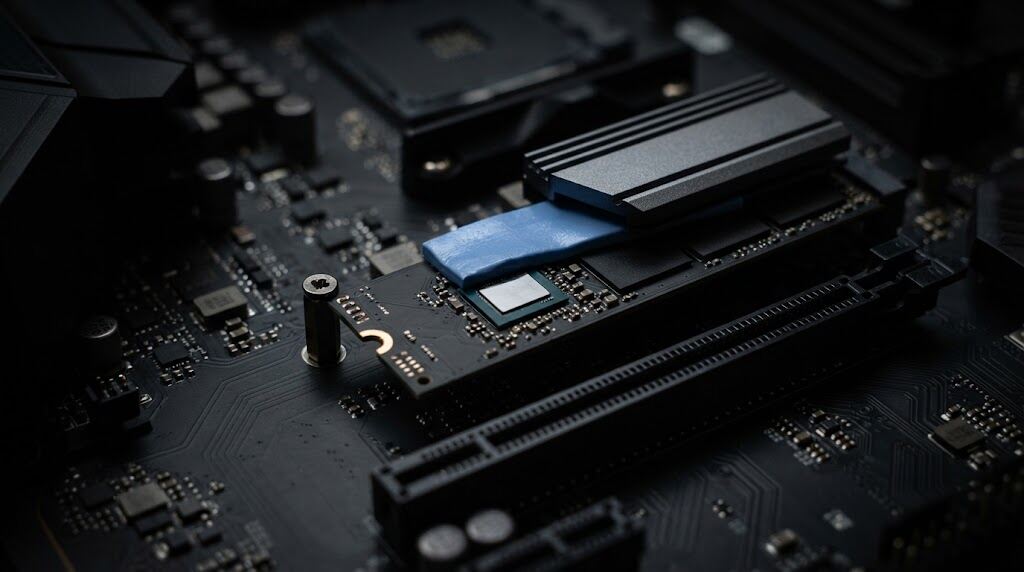
An improperly installed m.2 heatsink could do more harm than good. Ideally, choose thermal pads which are 1.0 to 1.5 mm thick, and make sure the thermal pad reaches the controller; even the slightest offset will mean that the hottest part remains under a layer of stagnant air. According to Gigabyte, the pressurized-pad configuration could yield 12 °C just from geometry alone. An m.2 drive installed under a hot GPU or a system heavily relying on water cooling, where case fans were ripped out, is one that definitely requires an NVMe heatsink.
Console-wise, Sony specifies that there must be some kind of cooling apparatus in place with total height of 11.25 mm (8.0 mm above and 2.45 mm below), thus requiring a PS5 SSD heatsink to be low profile in nature. Graphene is recommended in slim notebooks; avoid layering the pads until the case bends.
Need proof of performance in your own PC?
‘nvme-cli‘
shows TMT1/TMT2 transition counts and total number of seconds in each throttling state. Several minutes of light throttling over several months is acceptable. Hours of throttling indicate that your cooling needs improvement.
Also Read: How Hidden Desk Humidity Silently Destroys Port Gaskets
The Bottom Line: Throttling Is a Feature You Paid For
We’ve been conditioned to view any performance slowdown as hardware decay, but in this case, it’s not a failure but rather the controller doing what it is supposed to do—choosing three slower minutes instead of three faster years. The honest takeaway isn’t to panic, nor is it to blindly buy a massive heatsink based on marketing hype. What you need to really do is this: know the real figures of your drive, keep at least 15-20 percent space free on the drive, make sure the thermal pad makes contact with the controller, and find the cooling system according to the workload.
FAQs
Do I really need an SSD cooler/heatsink?
Generally, no, at least for PCIe 3.0, and even for most 4.0 drives within an airflow case. Yes, for PCIe 5.0, tight mini-ITX setups, consoles, or continuous media/AI tasks.
Why are there multiple temperature readings on my drive?
These are separate sensors, either the NAND chip and the controller. Combined temperature is a normalized figure, not a single sensor location.
What should my actual target temperature be?
Temperatures maintained at below 70 °C under high workload are ideal, as maintaining temperatures above that point expedites cell degradation.
Can a heatsink for the SSD stop the throttling?
Absolutely not. What will help is having an efficient SSD heatsink, which can just dissipate heat faster.
