

AI assistants are no longer limited to the pages of fiction but have seamlessly become part of our daily activities. These assistants analyze emails, notes, calendar entries, pull up documents, and answer questions in various applications. As much as this ease makes our lives easier, it is also a risk to our privacy. The more context AI systems obtain, the more likely that it will be leaked in case of improper privacy settings or exposure of information where it is not supposed to be seen. Personal AI search audits help us to know what information our algorithm knows about us.
What a personal AI search audit actually does
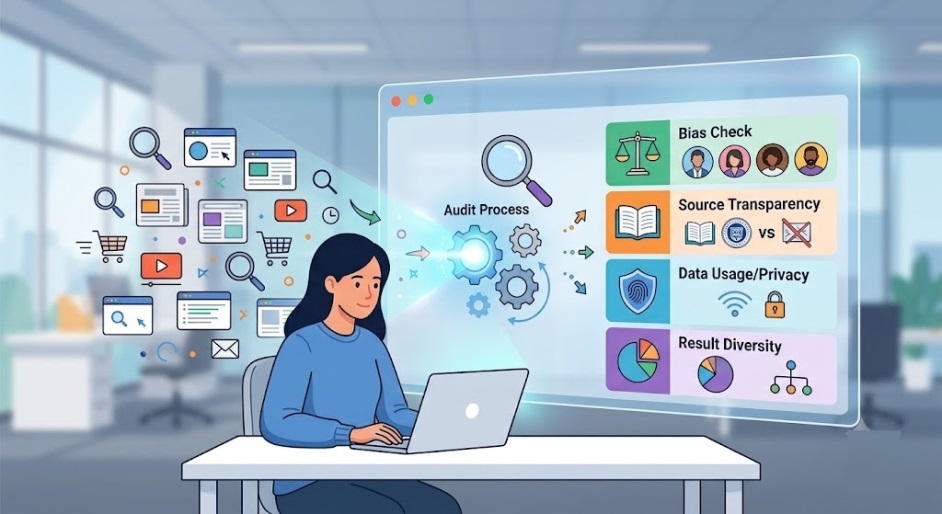
A personal AI search audit does not have to be a challenging process. It involves analyzing the manner in which your personal AI assistant conducts searches, archives and stores the data, ranks the searched information, and returns the searched content. This will begin by checking your connected accounts (Google Workspace or Microsoft 365), then move to analyzing your file access and search logs, as well as memory logs that your AI assistants may use (ChatGPT). Most crucially, however, an audit will analyze how willing your AI is to give up personal information about your travel plans, your tax information, or even your health information.
Where the biggest privacy risks show up
Whereas most security issues are attributed to malware, most privacy issues come about due to how people interact with technology and its settings. In configuring AI assistants such as Google Gemini, Microsoft Copilot, and Claude, users end up giving access to all kinds of personal information by clicking once. After months of use, that same assistant will be able to search through folders, access private information and even respond to queries about that information. The second threat that arises from artificial intelligence is the AI memory issue where activities that people engage in and the information they input get stored in memory form, creating a database they never wanted.
How audits protect you
Your personal AI audit will secure you in knowing precisely what your assistant can see, remember, and possibly expose before it becomes an issue of privacy.
1. Examine the accessible resources:
Start by examining every account, application, and storage where your AI assistant can access data. Remove all the data the assistant does not require.
2. Reduce the amount of data your AI remembers:
Turn off the history in the chat if it is not necessary, erase saved memories and look through the retention policy. It will reduce the number of private data the system can collect during its life span.
3. Examine sharing and exporting options:
Check whether your assistant can export, sync, or share your responses, search results or any data with anyone else. Limit those features as much as possible.
4. Overexposure test:
Ask simple audit questions like:
”What type of information do you have regarding my payments or address information?”
“Are you able to view any of my medical or tax records?”
5. Remove unnecessary permissions:
If your assistant shows too much of your confidential data, limit its access immediately.
What smart users should check first
Smart individuals take AI privacy concerns in advance by proactively managing privacy. First, you should conduct a thorough audit of the software you have integrated into your devices – if an AI application does not need access to your entire cloud storage or your email service, you should restrict the permissions immediately. Next, you need to consider your use cases and determine where you can keep your personal documents separate from your business emails so as not to contaminate anything important in the process.
Why this is important for families and non experts

This is not just about power users. Parents, students, freelancers, retirees, and teenagers use AI tools in their own way, and have their own vulnerabilities. For example, the parent might fail to recognize the capability of an AI which is associated with their cloud drive in indexing their children’s school documents. Similarly, the freelancer can provide access to their entire drive without even knowing that the information shared would be stored in the long-term memory of the AI. Proper audits should simplify privacy questions to ordinary users, translating technical settings into simple decisions: keep this connection, remove that integration, limit this permission, and review again next month.
Conclusion
The personal AI search appears to be incredibly effective precisely because it is invisible. This is why it should be audited periodically. The most protected users do not necessarily avoid using AI tools. Instead, they are aware of their connections, memory retention practices, search options, and what exactly should be kept private. A regular AI search audit does not constrain your convenience—it sustains it. When you understand the limitations of your AI assistant, you will enjoy speed and utility of the technology without disclosing additional information about yourself.
Next steps for you
Going forward, AI consumer products will have better privacy controls, but that doesn’t mean the newest will be the most secure. Design is important, but your own behavior is even more so than the slick marketing. Take a closer look at those permissions, go through your settings after an upgrade, and treat your connected information like money—only give away what you absolutely need to. In cases where the AI services provider fails to clarify the storage locations for your information, its retention period, and deletion process, you should be alarmed. The best AI consumer products aren’t just intelligent—they’re transparent, undoable, and considerate of their human users.

One thought on “How Personal AI Search Audits Keep Your Private Data Safe”