
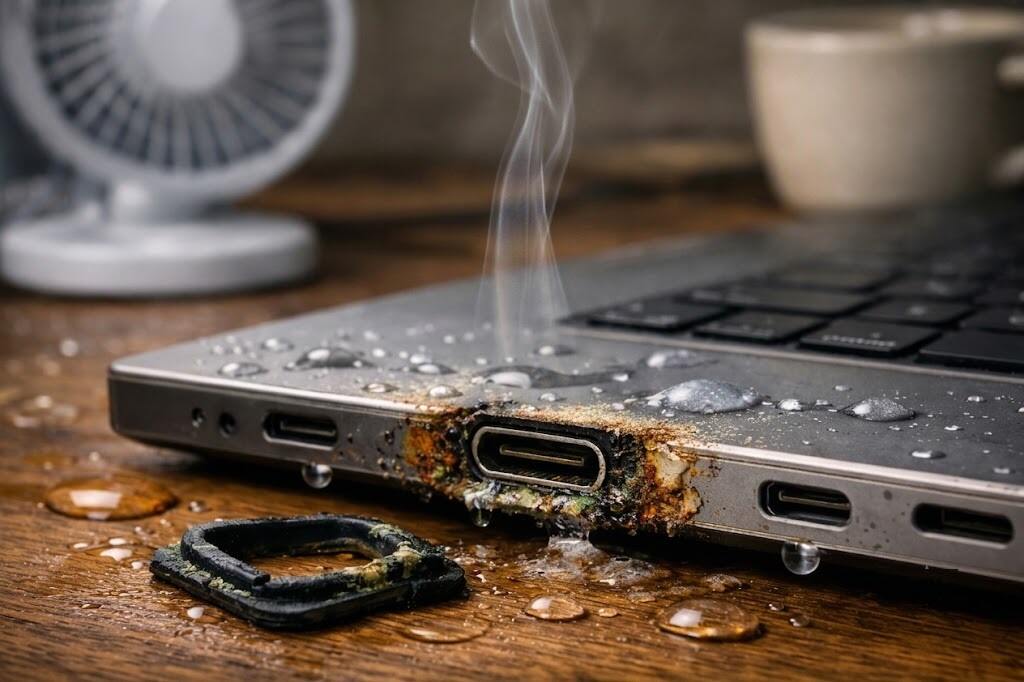
Most people tend to think about how to protect the device from falling or spilling liquid on it or from overcharging. Not many people think about the air around the desk. Yet, it is the humid microenvironment below the desk, behind the computer monitor, close to a wall or next to a heating laptop charger that can slowly but surely destroy one of the least considered elements of modern electronic devices – port gaskets.
If you’ve noticed your charging port becoming loose, sticky, inconsistent or too sensitive to dust – humidity may be one of the reasons. But not the one that would come to mind instantly. This is about the silent accumulation of moisture caused by poor indoor air movement, normal humidity levels in the rooms, warm cable joints, and desk activities. This hidden moisture doesn’t announce itself—it just works in the background until your hardware starts aging before its time.
- Why Port Gaskets Matter More Than Most People Realize
- The True Culprit: Invisible Moist Air Near the Desk, Not Room-Level Moisture
- Why Does Humidity Ruin Port Gaskets?
- Silent Damage that Occurs Prior to Failure of the Port
- Situations in everyday life that happen at a desk and cause the mentioned problem
- What Users Often Experience Before They Understand the Cause
- Solutions to Maintain Port Seals in Perfect Shape to Avoid Future Problems
- Conclusion
- Frequently Asked Questions (FAQ)
Why Port Gaskets Matter More Than Most People Realize
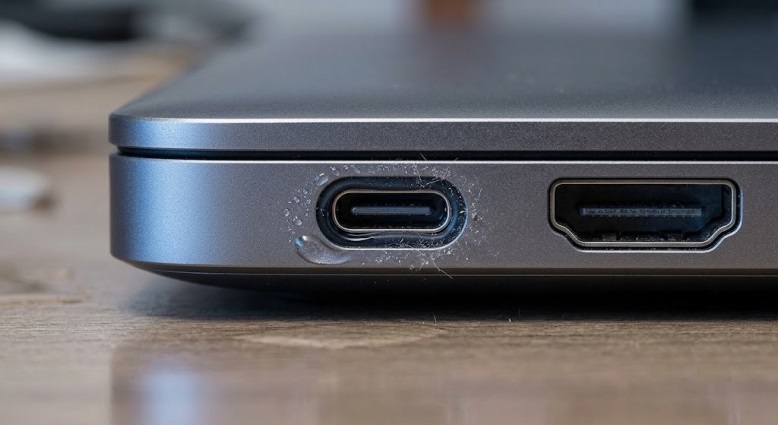
Port gaskets are those little sealing elements which are situated around charging ports, headphone jacks, USB-C slots, HDMI and other connection ports. Their function is rather simple and straightforward – to keep dust out of the device, provide cushioning for the ports’ areas, minimize the strain and sometimes – ensure moisture resistance of the device.
However, when port gaskets get damaged, their condition does not change suddenly. They lose their form, elasticity or proper location which leads to the penetration of dust, skin oil, moisture, and corrosion into the port. When this happens, the problem is not only the damage of the rubber gasket itself, but the malfunction of the port.
The True Culprit: Invisible Moist Air Near the Desk, Not Room-Level Moisture
In some cases, normal room environments can be harmful to electronics. The issue lies in a microclimate created right next to the workplace of the user.
What are the main factors of such climate?
- Hot tea or coffee cups
- Humidifiers operated in a bedroom or office
- Closed windows causing condensations
- Heating of power bricks and computer monitors
- Poor ventilation behind furniture
- Positioning a desk against an outer wall
All these factors can create a zone of warm and slightly moist air. When this air stays close to electronic equipment for many hours, soft materials used as sealing become aged in a different way. The rubber and silicone seals will undergo swelling, softening, hardening or loss of natural elasticity.
This change does not always happen visibly and thus goes unnoticed.
Why Does Humidity Ruin Port Gaskets?
Now let us explore how this concealed moisture actually attacks and damages your computer parts.
Port gaskets are made to be resistant to normal wear and tear and standard variations of temperature. However, when humidity is present constantly, the behavior of the materials changes. Depending on the composition of the gasket, the following processes start to occur:
- Softening resulting in loss of pressure on seals
- Swelling causing deformations in the connection with a port
- Hardening after many thermal cycles of warming and cooling
- Compression set leading to inability to resume initial form
- Tackiness increasing attraction of dust particles
When the gasket becomes deformed, it becomes less efficient in its functions. More dust sticks to it. Moisture stays in place longer. Small metal contacts near the port are exposed to dirtier and moister environment than before.
Then the users start noticing things like “It works normally but only when I hold it like this” or “The port looks clean but something seems wrong.”
Silent Damage that Occurs Prior to Failure of the Port
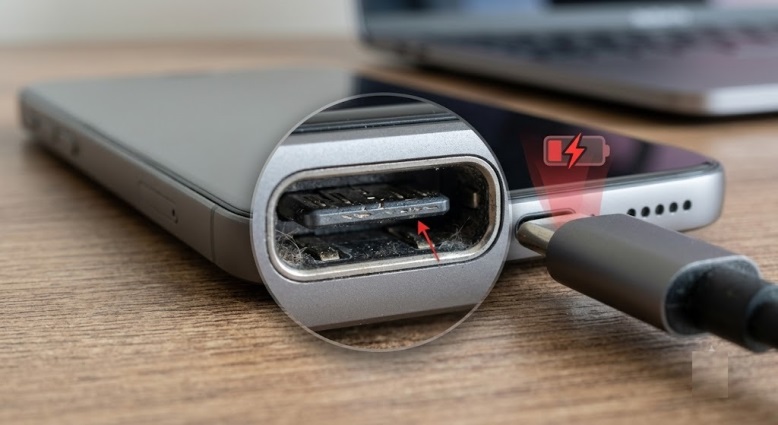
The problem often remains undiagnosed, as the gasket gives way before the port becomes completely dysfunctional.
Early warning signs to watch out for:
- Cable is no longer tight fitting
- Charging connection is interrupted sporadically
- More dust is collecting than previously
- The slot appears slightly irregular
- Device is becoming picky about cables
- A faint, musty smell coming from the usual work environment.
While these signs may not be definite signs of faulty charging board, they could serve as early warnings of the deterioration of the protective sealing environment.
The reason why this is important is that when moisture and dust keep getting inside the internal contact area, the repair becomes more costly. While it starts out as a materials problem, it could turn into corrosion, bending of pins, or even damage to the port’s board level.
Situations in everyday life that happen at a desk and cause the mentioned problem
There is nothing unusual about such a problem as it evolves from people’s daily routine.
The Hot Drink Near the Laptop
Although a cup of coffee or tea might not spill on the laptop during work, the steam coming off the drink in a confined space will create additional moisture near the keyboard and ports. As a result, material degradation will occur gradually.
The Desktop Adjacent to the Outside Wall in a Humid Room
If a person works at a desktop that touches the outside wall, the moist air that is stuck between the wall and the computer will affect it negatively. The combination of heat and moisture creates a favorable environment for the material fatigue.
The Humidifier in the Bedroom Office
People use humidifiers for the comfort of sleeping and working but don’t think how it influences the material fatigue of electronic devices if it is located too close to them. This low-level moisture will harm the gaskets as well.
The Constantly Working Docked Work Laptop
If a work computer is always kept docked in one particular place, the fixed ports will always be subjected to localized moisture, and their lifespan will shorten considerably.
What Users Often Experience Before They Understand the Cause
It turns out that the same issues appear over and over in user reports about device charging. The issue is described as having appeared “out of nowhere,” although no changes had been made to the configuration in months. Also, it is said that the device was “never exposed to any water” in an obvious way; however, the whole ecosystem should be considered here.
A typical case looks like the following. The user cleans the port, acquires a new charging cable, and for a while, everything looks fine. After that, the problem appears again. Most likely, the issue goes deeper than a few lints. The surrounding seals and micro-environment are affected already.
Maybe you just move your laptop to a different room simply because it happens to charge perfectly fine there. Sometimes the sign is ignored. The issue doesn’t resolve itself—conditions just become more favorable.
Solutions to Maintain Port Seals in Perfect Shape to Avoid Future Problems
Here is the good news – prevention is easy.
- Make sure there are no hot beverages close to the sides and ports of the device
- A proper gap should be provided between the table and the nearby wet wall.
- Do not use a humidifier close to your devices
- Increase air circulation around monitors, docking stations, and chargers
- Unplug the device and check its ports from time to time
- Clean them without moisture with dry, soft, non-metallic tools
- Notice any sticky, loose, or dusty port opening
- Use strain relief to protect the area of the port seal
If the port already behaves inconsistently, do not plug and unplug the cable frequently. It will lead to additional mechanical damages besides seal wear.
Conclusion
Invisible office humidity is an example of something that may seem like it isn’t worth mentioning until you realize how much damage it can cause over time. The damage to a computer does not have to occur due to an accidental spillage of coffee or falling into a puddle of water; it can also occur due to the computer being subjected to high temperatures, moisture, lack of ventilation indoors, and a static placement of the desk. This is how your port gaskets end up deformed, losing their seal and eventually their functionality in the protection of your device’s vital parts. In order to make electronics survive longer, don’t worry only about protecting them from shocks and water spillages. Consider the environment that surrounds your device.
Frequently Asked Questions (FAQ)
- Does humidity really damage charging ports without causing a spill of water?
Yes. Long-term exposure to humidity can damage the gasket inside of the port, leading to the possibility that dust and residues can interfere with the connections regardless of any visible spillage.
- What is the first sign of humidity damage to a charging port?
The earliest sign is usually intermittent charging or a cable that feels surprisingly loose. Before any total failure occurs, minor moisture accumulation attracts fine dust, creating a sticky residue inside the slot. This prevents the connector pins from making solid contact, forcing you to hold or wiggle the cable at a specific angle just to maintain power.
- Are laptops more vulnerable than smartphones?
Not necessarily. However, laptops usually have to remain in the same spot on the desk that is humid for long periods of time, while phones suffer from humidity in kitchen, bathroom or next to a humidifier.
- Can cleaning help me?
If the damage is still not severe and mainly affects surface layer, cleaning could help. However, once the gasket lost its shape and elasticity, simple cleaning won’t help.
- How often should I examine my device’s ports?
Every month or two depending on your surroundings, such as whether you drink hot drinks from your desk, have restricted airflow, and have a humidifier.
