
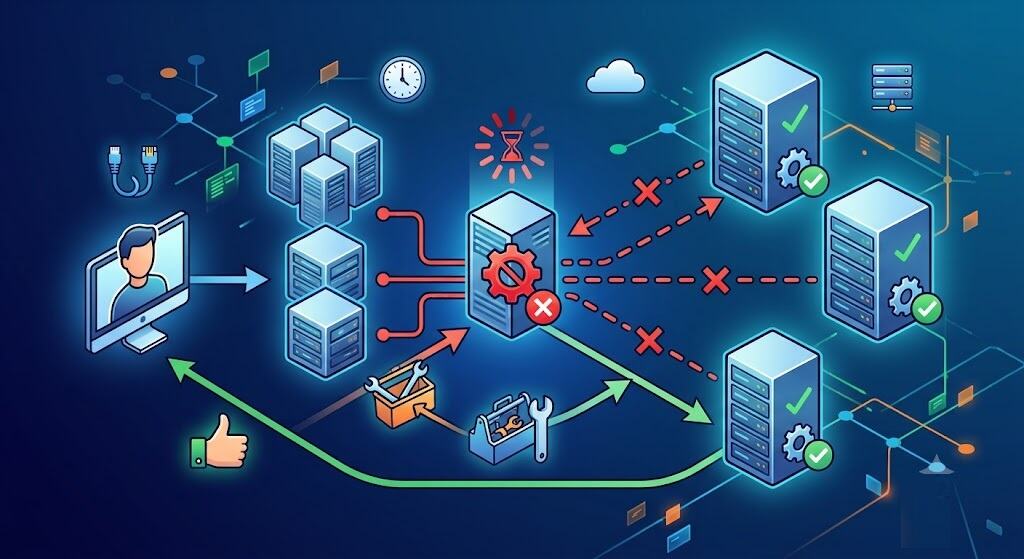
The 504 Gateway Time-Out error can be frustrating since the website appears to be accessible – but the page will not load. In simple terms, a 504 Gateway Time-Out occurs when one server, proxy, CDN, or gateway takes too much time to receive a response from another server and times out. In short, one server in the delivery chain waited too long for an upstream response and timed out. This can be referred to as http 504, 504 error code, or 504 status code depending on the browser and server used.
- The Real Meaning Behind a 504 Gateway Time-Out
- Start Here First: The Fastest Checks That Solve Simple Cases
- The Most Common Reasons a 504 Gateway Time-Out Happens
- What to Fix If You Own the Website
- Practical Examples From Real-World Support Cases
- How to Stop a 504 Gateway Time-Out From Coming Back
- Conclusion
- FAQs
The Real Meaning Behind a 504 Gateway Time-Out
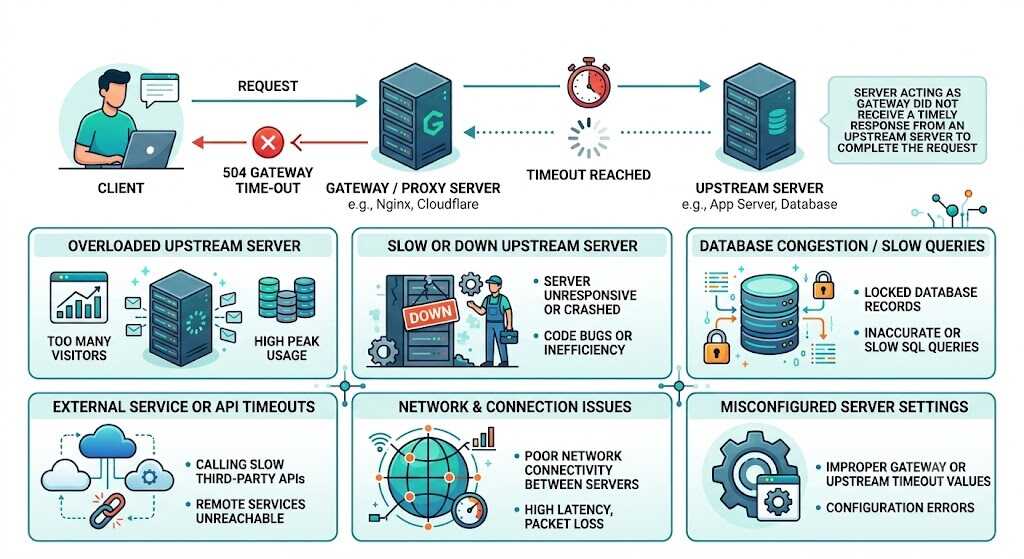
The concept of 504 gateway timeout can be best explained by imagining a receptionist trying to call an internal extension that never answers. The receptionist is doing their job, your request was delivered to the receptionist, but no reply was received on time. This is why a 504 gateway time-out is distinct from a browser error and a lack of internet connection. In most cases, the browser has nothing to do with the issue.
The 504 error code occurs in environments that use reverse proxies, load balancers, CDNs, application servers, databases, or APIs. In other words, the http 504 error is common for modern websites due to the presence of several layers between the visitor and the application.
Start Here First: The Fastest Checks That Solve Simple Cases
Before messing with the server, try the following steps:
- Reload the page after 30-60 seconds.
- Visit the website in incognito mode or any other browser.
- Clear the browser cache and DNS cache.
- Access the website through a different connection or computer.
The above measures do not solve all cases of the 504 gateway time-out problem, but they will help you quickly determine whether the 504 error code is caused by local interference or not.
The Most Common Reasons a 504 Gateway Time-Out Happens
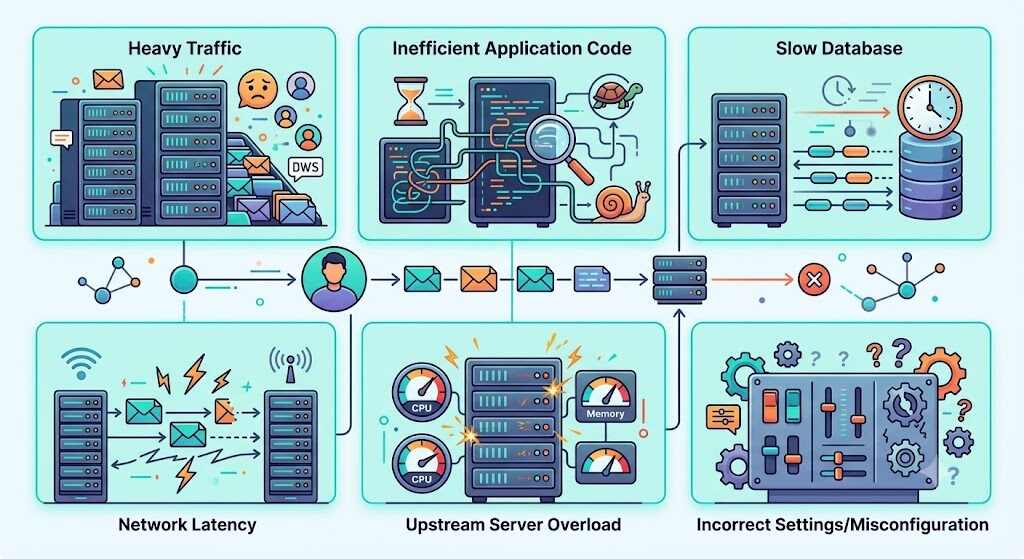
The most frequent reason for a 504 gateway time-out error is a congested origin server or upstream service that takes too much time to respond. From a practical perspective, 504 Gateway Timeout issues normally occur due to server overload, slow PHP execution, non-cached dynamic calls, delays in database queries, firewall blocking, or problems in communication between CDN and origin servers.
Yet another frequent reason for the problem is incorrect settings of the timeout values. For instance, if the proxy is configured to wait 30 seconds and the application requires 45 seconds to complete the process, the proxy will return http 504 first.
What to Fix If You Own the Website
If the 504 gateway time-out is occurring on your own website, you should follow this sequence:
1. Check server load and uptime
CPU usage, memory, PHP workers, and request spikes need to be monitored. High traffic websites experience 504 error code problems most frequently during checkout flow uncaching, search requests, or traffic bursts.
2. Review error logs
Review the error logs on Nginx, Apache, PHP-FPM, your application framework, and database slow query logs. This is usually the place where the reason for 504 gateway time-out becomes apparent.
3. Test plugins, themes, or recent deployments
Poorly written code extensions or recently released code may cause long-running requests. Hosting articles explicitly mention plugins and themes as potential causes, particularly if they perform many uncached actions.
4. Inspect CDN, WAF, and proxy behavior
If you have an edge service such as Cloudflare, temporarily disable it to check if the http 504 is coming from the edge or from the origin server. Cloudflare support conversations always lead users to the origin responsiveness and connectivity problems.
Increase timeouts carefully—not blindly
Increasing proxy_read_timeout and fastcgi_read_timeout parameters is useful when the origin server is responsive but slow. However, raising these limits without solving the problem of the slow query, hung API calls, or overloaded worker pool just hides the true problem.
Also Read: 502 Bad Gateway: How to Troubleshoot and Fix the Error
Practical Examples From Real-World Support Cases
An example of this kind of problem comes from one developer who faced 504 gateway time-out error after trying to download a huge Firebase record via Nginx. This request was taking more than the default timeout and increasing the API timeout solved the problem.
Another common pattern can be found in the hosting support material: the stores and the sites with a lot of dynamic content face 504 gateway time-out errors due to having too many requests at once that cannot be cached. This is a typical case of 504 status code because the server is functioning properly but takes too much time to respond.
The last pattern occurs in the community discussions about Cloudflare: users think that the problem is connected with CDN itself but in fact, the origin server is responding slowly or the connection between services is unstable. Therefore, when you google what does 504 gateway timeout mean the first step is to look at the entire chain.
How to Stop a 504 Gateway Time-Out From Coming Back
The best long-term solution to 504 gateway time-out is performance discipline:
- Cache more pages and queries where it’s safe.
- Optimize slow database queries.
- Minimize reliance on third-party APIs when loading pages.
- Keep an eye on latency of upstream services and set alerts on spikes.
- Properly scale hosting before the peak load.
- Set proper timeout values intentionally at proxy, application and PHP levels.
The smartest long-term fix isn’t to blindly increase timeout limits; it’s identifying why the request is slow enough to produce an http 504 in the first place.
Conclusion
The 504 gateway timeout is more than just a nuisance; it is a signal that one part of the delivery chain is suffering from high latency when compared to another part. The important thing to remember is that the best way to deal with a 504 gateway timeout, HTTP 504, or any other 504 error code is to find out what the slow hop is, and not to guess. Once you have looked at the logs, found out what the upstream bottleneck is, and tuned your timeout settings to reflect reality, the 504 error code becomes understandable and solvable.
FAQs
Is 504 gateway time-out my problem as a user?
Normally, no. 504 gateway time-out is normally a server problem but basic checks for your browser and connection can be tried too.
Are http 504, 504 error code, and 504 status code the same thing?
Yes. All of them represent the same error of timeout.
Will raising timeouts settings help me to fix 504 status code?
Yes, it will work in case the backend is just slower than the gateway timeout. However, it won’t solve any crashes, blocking connections or server overload problems.
Should I call hosting support right now?
Yes, if the logs are not clear, the outage is prolonged or the 504 gateway time-out occurs on revenue webpages such as checkout page.
